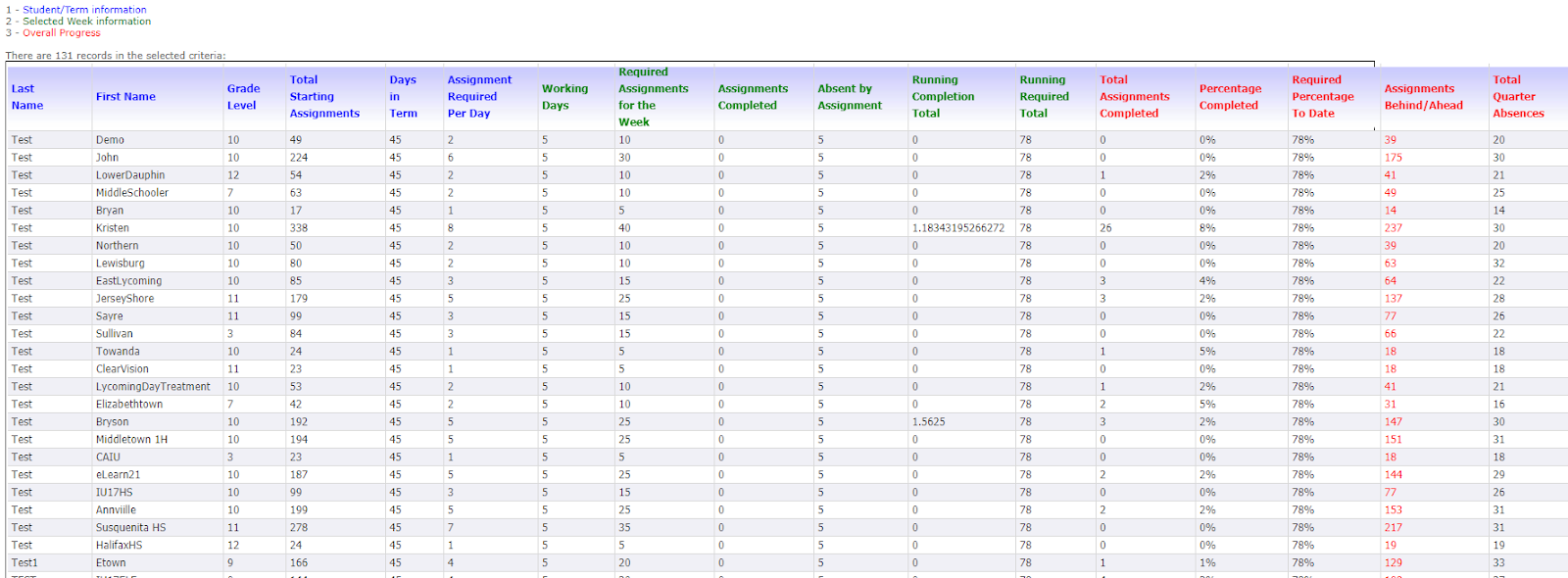
This tip sheet is an overview of commonly used reports in Genius.
REPORTS
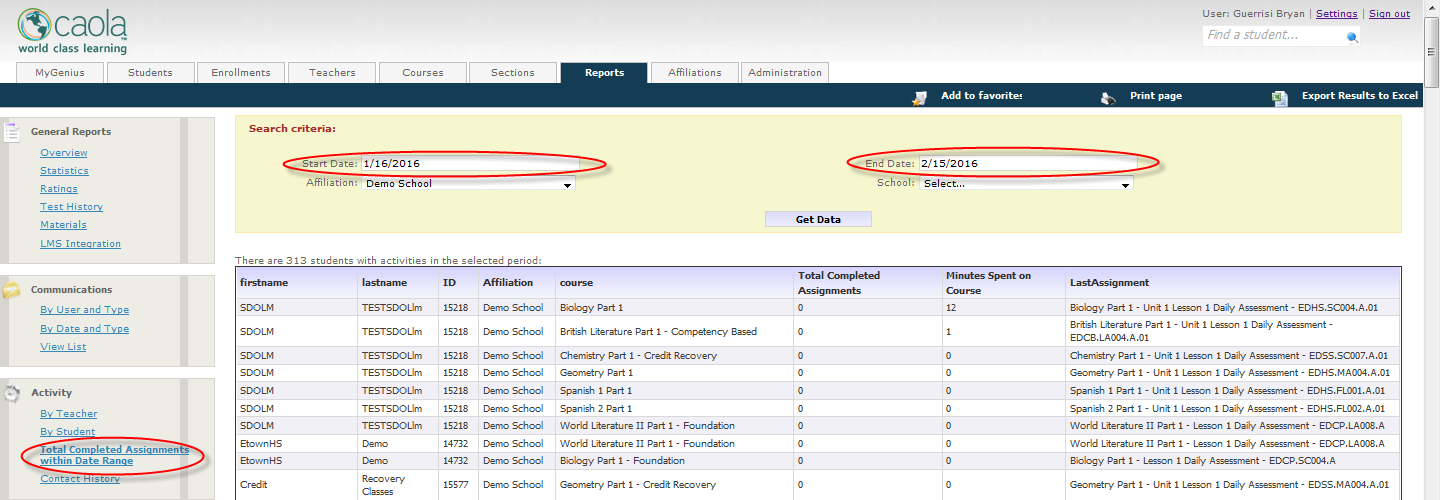
Total Completed Assignments within Date Range
This report is great for checking attendance by assignment.
(example – must complete 5 assignments per course per week)
This report pulls information for how many total assignments the student completes and the total amount of time spent in that course within the specific date range.
**MAKE SURE TO SELECT THE DATE RANGE**
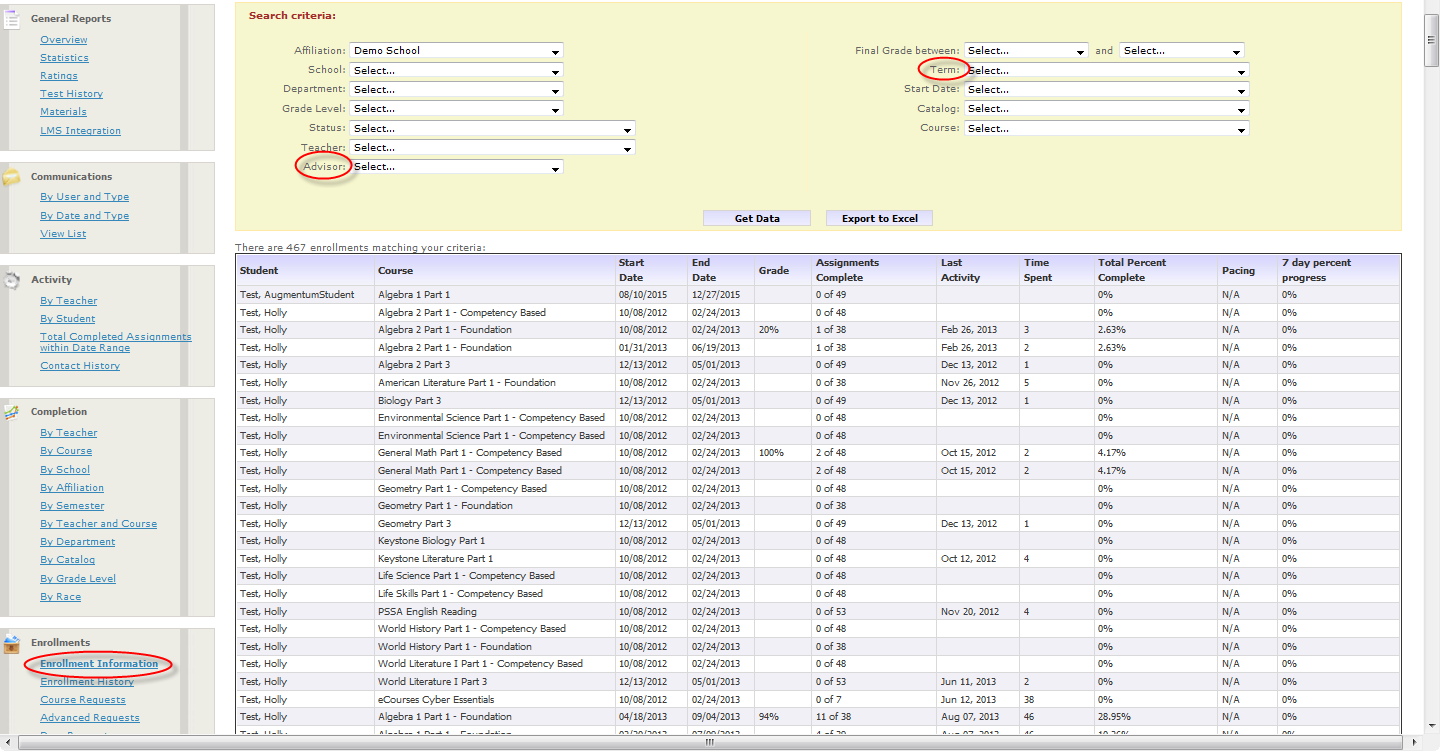
Enrollment Information
This report is great for checking attendance by percentage complete.
(example – must be “x” percent complete with the course by a specific date)
This report shows the student’s current grade, assignments complete, last activity, time spent in the course, percentage complete, if they are on pace and the percent progress in the last 7 days.
**MAKE SURE YOU SELECT THE CORRECT TERM**
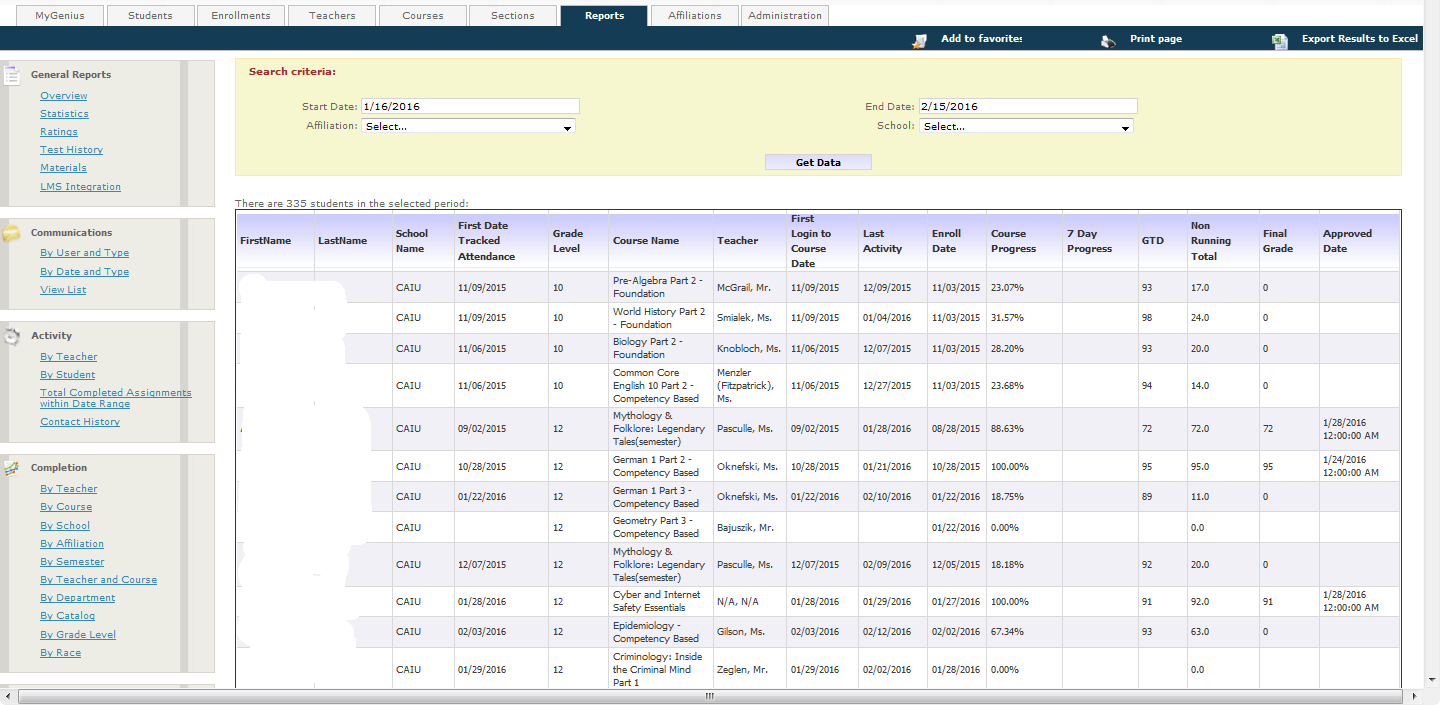
Advisors Dream Report
This report is great for all an around look at the progress of your students.
This report shows percentage complete, Running and Non-Running Grade, First Login, Last Activity, Enroll Date, and Date of Grade Approved.
**MAKE SURE TO SELECT THE DATE RANGE**
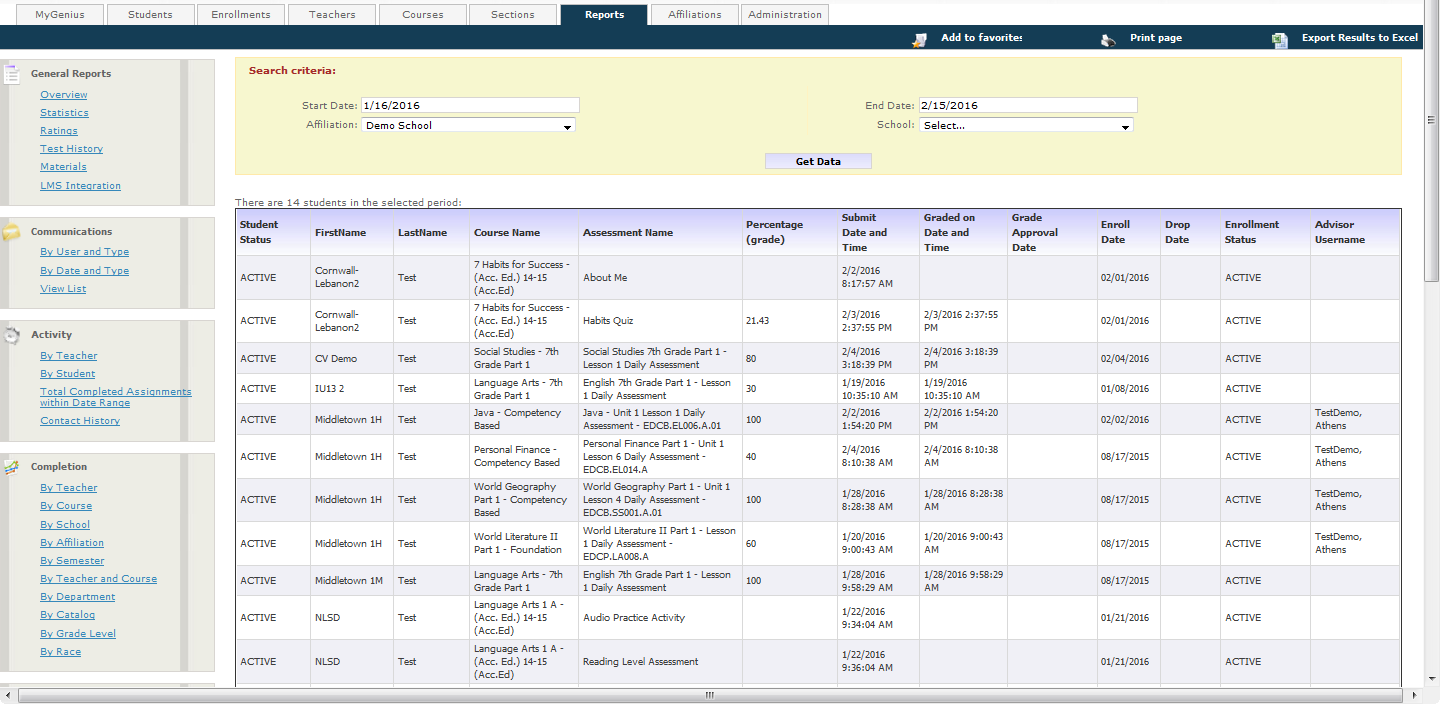
Attendance Verification
This report is great to see when Assessments are completed and when they have been graded.
This report shows Course Name, Assessment Name, Grade, Submit Date and Time, Graded on Date and Time, Advisor Username,
**MAKE SURE TO SELECT THE DATE RANGE**
Course Pace Report
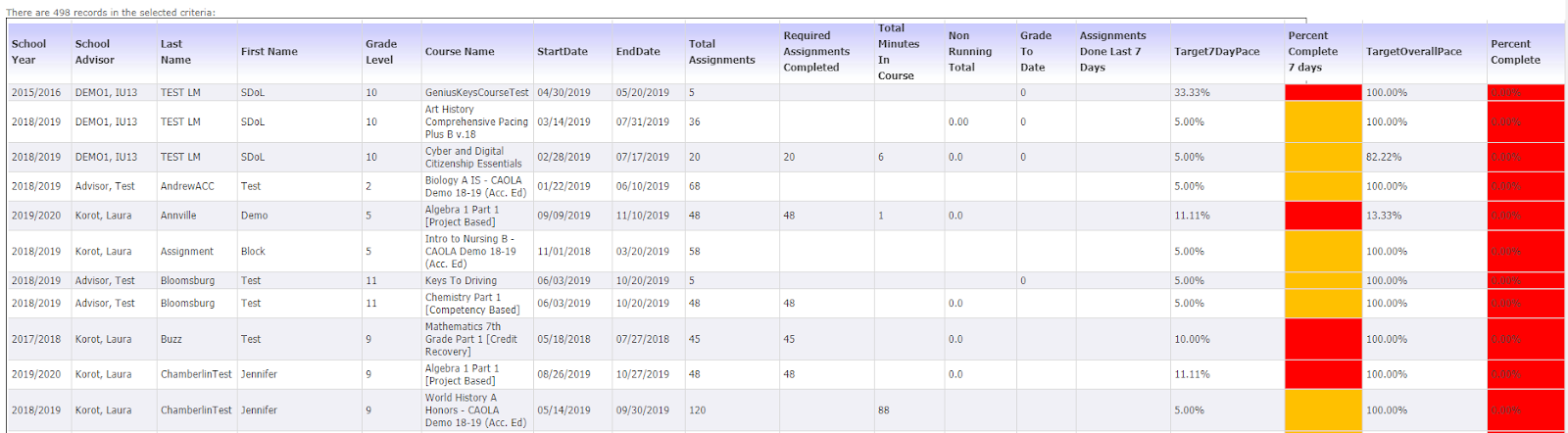
Is a great report to track your students pacing as they move through the marking period or semester.
This report shows Course Name, Start & End date, Total Assignments, Grade to date, Non Running Grade ( where applicable), Target 7 day Pace, Percent complete in 7 days, Target Overall Pace, Percent Complete
Attendance Report
This report tracks attendance, progress and pace.
It takes the total number of assignments for ALL courses, divided by number of school days in a marking period. This number is rounded up to the next whole number, resulting in the number of assignments students must complete per day to be considered in attendance.
Example: Number of courses: 5, Total Number of Assignments for all courses: 250
Number of school days per marking period: 45x250/45 = 5.56 Rounded up to nearest whole number = 6 assignments to be completed per day, or 30 per week.
• Absences are calculated weekly. Students who are on pace, or who are working ahead, will not be marked absent, regardless of number of assignments completed in a particular week.
• The Genius system syncs every 24 hours, at midnight. The cycle runs from Monday to Sunday. Students have until Midnight on Sunday to submit the requisite number of assignments per week.